The Prompt Is the Plan: How I Built a 1,200-Line Angular Component With a Framework You've Never Heard Of
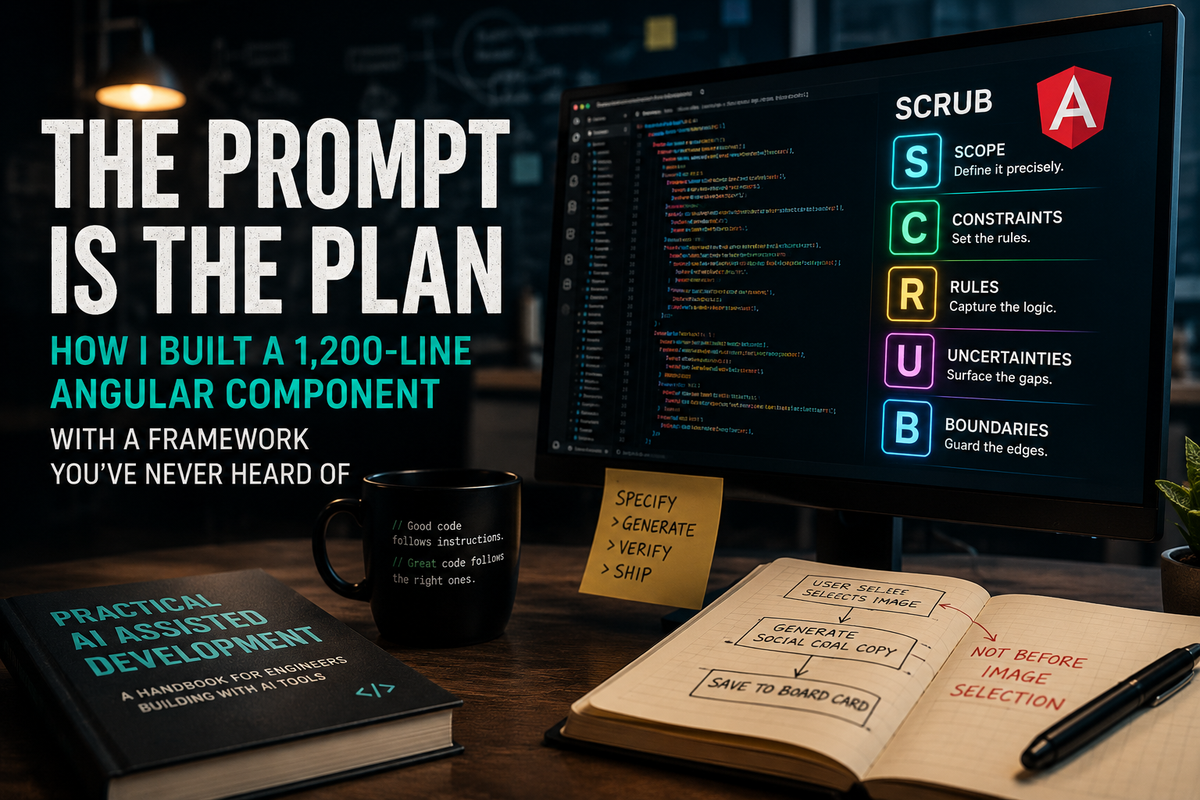
Or: what happens when you stop typing instructions at the AI and start engineering them*
TL;DR - wanna check out the framework and sample application I built, grab the code at https://github.com/architect4hire/brandforge
I want to tell you about a bug.
Not a dramatic one. No crash. No stack trace. The kind that's much worse than that — the kind where everything runs fine, the feature ships, and then three weeks later an operator notices that every single content card saved from the pipeline has the wrong social media copy attached to it.
Instagram post? Generic. TikTok hook? Missing. Pinterest description? Something the AI generated from the image name, not the actual image. The copy was there. It just belonged to the wrong image, from an earlier step in the workflow, because somewhere in twelve hundred lines of Angular TypeScript the social copy generation fired at the wrong moment. Before the operator had chosen an image. Before the system knew which image to describe.
The code compiled. The tests passed. The component ran. Nobody knew anything was wrong until they looked at the actual board cards.
That bug — or rather, the specific thing I did to prevent it from ever happening — is what this post is about.
The AI Does Something I Find Genuinely Terrifying
Before I get to the solution, I want to name the problem properly, because most people I talk to about AI-assisted development haven't quite articulated it yet.
The problem isn't that the AI gets things wrong. I can handle wrong. Wrong throws an error, wrong breaks a test, wrong crashes the app and puts a red line in the console. I can work with wrong.
The problem is that the AI gets things plausibly right.
Here's what that looks like in practice. You paste a task into Claude — build me a service, write me a component, add a method to this class — and the AI produces twelve hundred lines that are idiomatic. They reference the right services. The types are correct. The naming follows your conventions. The structure looks exactly like what a senior developer would write. You do a quick scan, it looks good, you run it, it runs. You ship it.
And then three weeks later you find out that the component has been defaulting the tip amount to twenty percent, or storing a PII field it shouldn't be touching, or firing an expensive AI call before the user has confirmed their intent, or — in my case — generating social copy off the wrong image because the ordering of two async calls was off by half a step.
I started calling this the Plausibility Trap. The output is so plausible-looking that you don't examine it carefully enough to catch the domain error buried inside it. A junior developer would produce code that's obviously wrong and you'd catch it in review. The AI produces code that's only subtly wrong and you catch it in production.
The reason this happens is structural, not a flaw in the AI. The model is trained to produce idiomatic, coherent, conventionally-structured code. It has no idea what your product is actually supposed to do. It does not know that social copy should fire after image selection and not before. It doesn't know that your food blogger operators are going to be looking at that copy on a desktop CMS and not a mobile device, and that the UX decisions that flow from that distinction are significant. It doesn't know that your company had a legal incident around default values in financial fields. It knows how to write code. It does not know your domain.
So when you hand it a vague prompt and it fills in the gaps, it fills them with plausible defaults from training data. And the defaults are usually fine. Until they're not.
I Got Mad About This and Built a Framework
I have been building software with AI tooling since before it was cool and after it got annoying. For a long time my standard approach was "write a really long prompt and hope for the best." Which worked often enough to feel like a strategy, and failed spectacularly often enough that I spent a lot of time in debug mode wondering which part of my fifty-line prompt the AI had decided to ignore.
The thing I eventually figured out — the thing that changed how I work — is that the prompt failures are not random. They fall into patterns. And once you can see the pattern, you can address it systematically before you hit submit.
That systematic approach turned into a framework I call SCRUB.
It's not a brand new category of idea. It's a checklist. Five elements, every prompt. It forces you to address the five categories of AI-generated code failure before the code gets generated. I wrote a whole book about it — Practical AI Assisted Development, which covers the full framework plus a lot of the tooling philosophy around it. But the heart of it is five letters, and you can use it today, right now, without reading anything else I've written.
Let me explain what each one means, and why the one most people skip is the most important.
What SCRUB Actually Is
S is Scope. What are you asking for, named precisely. Not "build me a service" but "build me exactly these four methods, with these exact signatures, in this file, and nothing else." The AI will expand your Scope if you let it. It will add helper methods you didn't ask for. It will create a base class when you just needed a concrete class. It will refactor adjacent code while it's in there because the adjacent code could be cleaner and the AI finds mess uncomfortable. Scope is the fence around what you actually want. Build it tight.
C is Constraints. The technical rules your output must respect. Framework version. Naming conventions. Architectural patterns. DI style. Which async pattern you use. The AI doesn't know you're on Angular 20 standalone with signals and @if/@for control flow unless you say so. If you don't say so, you'll get *ngFor in your template and a BehaviorSubject in your class because those are the idioms from the version of Angular that's most represented in training data. I've rebuilt the same component three times before I started writing constraints explicitly. I've been on Angular 20 with signals for months now. I still write the constraint every time. The AI does not have session memory that says "this person uses signal-based state management, use that."
R is Restrictions. This is the one everyone skips, and it is the single most important element in the entire framework. Pay attention here.
Restrictions are the things you explicitly do not want. Not what you want built, what you want avoided. This is where you prevent the Plausibility Trap, because the Plausibility Trap lives inside the gap between what you asked for and what you said was wrong.
Here's the example from the book that sticks with me. Imagine you're building a tip calculator UI. You write a great Scope block, solid Constraints, the AI produces a beautiful component. Clean code. Nice UI. Runs great. The default tip is twenty percent.
You didn't specify the default. The AI picked twenty percent because twenty percent is the most common default in tip calculator UX in training data. Your company had a conversation six months ago about defaulting to fifteen percent because the restaurant group you work with operates in a market where twenty percent feels presumptuous and you got customer complaints. That decision is not in your codebase. It's not in any document the AI can read. It's in a Slack thread from March.
The Restriction is: "Do NOT default the tip percentage to any value — the field should start empty and require explicit operator input." One line. Specific. With a reason.
That's what Restrictions do. They close the gaps that Scope leaves open. They're the part of the prompt that says "I know you'll make a reasonable-sounding decision here — here's what's actually required."
I tier my Restrictions:
- CRITICAL: "Do NOT default the tip" — missing this produces wrong data in production, silently
- IMPORTANT: "Do NOT add helper methods to this file" — missing this creates tech debt I'll pay later
- PREFERRED: "Do NOT abbreviate variable names" — style nit, not worth blocking on
The CRITICAL ones are the ones that prevent the Plausibility Trap. Write them first. Write them with reasons. The reason is not documentation fluff — it's what tells the AI why the seemingly-reasonable default is wrong for this domain.
U is Usage. Who runs this, under what conditions. A component built for a food blogger operator on a desktop CMS is different from the same component built for a tablet-based POS during a morning rush, even if the API contracts are identical. Usage is usually three to five lines. It is not usually interesting to write. It shapes dozens of downstream decisions and you won't notice most of them unless the AI gets them wrong.
B is Behavior. What must not change. This is the element that stars in Edit Mode prompts — "I want you to add these two validation rules and change nothing else, method order preserved, XML doc comments byte-for-byte identical." In greenfield work it's often N/A. In layered greenfield work — building a complex component in sequential steps — it becomes "all signals and computed values from Layer 1 are preserved unchanged," and it matters more than you think because the AI will cheerfully improve your earlier work if you don't explicitly tell it not to.
Five elements. The discipline is not the template — it's the habit of asking, before you hit submit, where is R? Because R is the one people skip. And R is what prevents the social copy from firing off the wrong image.
RecipeForge, and Why This Component Specifically Was a Problem
RecipeForge is a food blogger CMS. It runs on .NET 10 with Aspire 13.3 on the backend, Angular 20 standalone on the frontend. The idea is that a food blogger picks a channel — we have six of them: Cozy Kitchen, Baker's Bench, Quick Bites, Grill Master, Plant Forward, World Flavors — picks a posting day, and the system walks them through building a ready-to-post image and full platform-tailored social copy in one workflow. Image generation via Venice.ai. Prompt composition via OpenAI. Copy for seven platforms: Instagram, TikTok, Pinterest, Facebook, X, Threads, and a blog intro paragraph. One screen, start to finish, everything saved to a Digital Asset Manager and dropped onto a Kanban board.
The content pipeline component is the centerpiece of that workflow. When I sat down to build it, here's what I was looking at:
Nine discrete steps, represented as a TypeScript union: 'config' | 'seeding' | 'reviewSeed' | 'composing' | 'reviewPrompt' | 'rendering' | 'pickImage' | 'social' | 'done'. Thirty-one signals. Six API calls — two to OpenAI, two to Venice.ai, one to the DAM, one to the Kanban service. Two deliberate human-in-the-loop checkpoints where the operator can intervene and edit before anything expensive fires. A variant grid showing up to four generated images. A full-screen lightbox with keyboard navigation. Drag-and-drop reference image upload with a "reverse-engineer this image into a prompt" button. State that cleans itself up completely between runs.
That's not a complex component. That's a complex workflow expressed as a component. There's a difference. A complex component has a lot of moving parts. A complex workflow has ordering constraints — real business rules about what happens before what, enforced by the UI, with consequences if the ordering is wrong.
The consequence here, as I explained at the top, is social copy that doesn't match the image. Because there are three plausible places in this workflow where you could call runSocial(), and two of them are wrong. The AI, given a loose prompt, will pick the one that looks most natural from a "I'm building a step machine" perspective, which is "fire social copy generation after the render step completes." Completely reasonable. Wrong. Social needs to fire after image selection, not after image rendering, because social copy has to be written to describe a specific image — the one the operator actually kept — not a batch that might include images they're about to discard.
If I one-shotted this component, I would have gotten that wrong. And I probably wouldn't have caught it for days.
The Document I Wrote Before I Wrote a Single Line of TypeScript
There's a file in the RecipeForge repository at docs/SCRUB-PIPELINE-PROMPTS.md. It exists before the component exists. The prompts document is not documentation of what I did — it's the plan I worked from. The thing I reviewed and revised before I opened Claude Code Chat.
The document follows a four-step chain: Context → Plan → Execute → Verify.
Context gets the AI oriented to the codebase. Plan aligns on architecture before code exists. Execute generates the code in layers. Verify confirms the invariants held. The whole chain took about half a day to run. The component compiled cleanly at each layer.
Let me walk through what's in each step and why the decisions look the way they do.
Pre-Load Context: Making the AI Read Before It Writes
The very first thing in the document is a snippet I paste at the start of every Claude Code Chat session before doing anything else. It lists six files and tells the AI to read them:
domain.models.ts— channel keys, pick lists, social platform definitions, all the seed and response typesscene-presets.ts— nineteen food photography scenes across four scene groupsworkflow-api.service.ts— every API method the component will call, with their actual TypeScript signaturesdam-api.service.ts— thesaveAssetmethodkanban-api.service.ts— thecreateCardmethodimage.component.ts— an existing working component that already does a version of the seed-and-render flow
That last one is pulling a lot of weight. The instruction doesn't say "here are the patterns I want you to follow, let me describe them." It says "here is a component that already does a version of this correctly, read it and match what you see." That is the most reliable Constraint you can write. Not a description of the convention — a pointer to an exemplar. The AI reads the actual code and extracts the pattern from it. Every time I've tried to describe a pattern in prose versus pointing at a live example, the example wins. Not by a little. By a lot.
The last line of the pre-load is: "Do not generate any code yet."
This matters because Claude will sometimes start generating the moment it finishes reading files. It's being helpful. I don't want helpful yet. I want understanding. "Do not generate any code yet" is four words that prevent a premature response and keep the session in the right state for the Context step.
Step 1 — Context: Ask for Understanding Before You Ask for Code
The Context prompt asks Claude to produce a structured summary. Not code — understanding. What signal and computed patterns does image.component.ts use? What are the exact shapes of ContentPromptSeedResult, ImageBatchResponse, and SocialWorkflowResponse? Which WorkflowApiService methods correspond to which pipeline stages?
There are two reasons I do this.
One: if the AI misunderstood something, I catch it here while it's cheap. A misunderstanding in the Context step costs me a one-line correction. A misunderstanding in Layer 4 costs me a template rewrite.
Two: asking the model to synthesize what it read before it produces new code improves the quality of the production step. I know this sounds like folk magic. It isn't. The model has to build an active representation of the relevant patterns before generating against them, and making that step explicit and separable — as a distinct prompt with a distinct deliverable — produces better output than jumping straight to execution. I noticed this pattern after running maybe thirty layered prompt chains. I tested it by removing the Context step and comparing results. The Context step wins.
I've caught two real errors in RecipeForge's Context step — both about how firstValueFrom() was being used in the existing service layer. Both would have produced subtle async bugs in the methods layer if they'd made it to Layer 6. One correction in prose, at the Context step, and neither showed up again.
Step 2 — Plan: The Architecture Review Before the Build
The Plan prompt asks for a prose proposal. The step union type. The thirty-one signals — which ones and what they represent. The two edit checkpoints and what state the operator needs editable at each. How the lightbox integrates with batch state. How social copy fits into the post-pick flow. All in prose, zero TypeScript.
This is the step everyone skips. I understand the impulse. You have the Context, you know what you want, just generate the code already. Skipping the Plan is how you get clean code that does the wrong thing.
A bad plan generates plausible code. A good plan generates code where the only surprises are in the formatting.
What I'm specifically probing in the Plan review: does the AI agree that social fires after image selection? Does it understand that reviewSeed and reviewPrompt are active edit windows and not loading spinners? Does it know that the variant discard happens inside selectImage(), not in a separate cleanup step? These are the decisions with ordering consequences. If the plan is wrong about any of them, the Execute prompts will generate wrong code from a correct-looking starting point.
I push back in prose when I disagree with the proposal. Sometimes I don't push back — the AI's proposal is better than my initial instinct, and I update the prompts document before running Execute. This has happened twice on RecipeForge. The AI suggested a derived computed signal for the visible-platforms list that I hadn't thought of, and it was cleaner than what I had planned. The Plan step is not "convince the AI to do what I decided" — it's alignment. It takes maybe fifteen minutes. On a component this size, it is the best-spent fifteen minutes in the whole build.
Execute: Seven Layers, Each One Verifiable
Execute is where the code gets built. Seven prompts, each one scoped to a piece of the component that can be checked independently, each one explicitly preserving what came before.
Layer 1: The Signal Skeleton
Layer 1 produces the class with all signals, computed derivations, constants, injected services, and read-only pick lists — and nothing else. The @Component decorator. An empty template. No method bodies. Every method a stub.
This is the most boring layer. It's also the most important one.
If the signal names are wrong in Layer 1, every subsequent layer references the wrong names and you get a cascade of TypeScript errors that trace back to a naming decision that would have taken two minutes to get right at the start. The goal is a clean compile from Layer 1 onward. Everything on top of a passing build, never in the dark.
The CRITICAL restrictions here are blunt: "Do NOT write template HTML beyond the bare decorator" and "Do NOT write any method bodies." The AI will try to fill these in because a component class with no template and no implementation is unusual-looking. "Helpful" means filling in what appears missing. Helpful is not what I want here. I want a typed signal inventory. I'll take helpful in Layer 2.
The IMPORTANT restriction — "no RxJS Subject or BehaviorSubject for component state" — is there because Angular 20 with signals means exactly that. Signals for state, firstValueFrom() to bridge HTTP observables into async methods. Every time I've run a pipeline-style prompt without this restriction, at least one BehaviorSubject appears. Not because the AI is doing something wrong — BehaviorSubject is a completely correct Angular state pattern, just from a slightly older era. Without the restriction, the training distribution wins.
Layers 2 Through 5: Building the Template in Slices
The template is four layers. Each one adds a vertical slice of the UI without touching what already exists.
Layer 2 is the page header and config card — channel selector, posting day, variant count, the Run Pipeline button. Unremarkable on its own. The important thing here is the Behavior block: "All signals and computed values from Layer 1 are preserved unchanged." That one line stops the AI from quietly improving my signal initializations while it adds the template. Without it, you get a template that's fine and a class that's been silently refactored. I have spent an afternoon tracing that particular class of diff-confusion. Not fun.
Layer 3 adds the mid-workflow steps: the seeding spinner, the reviewSeed edit block with scene selector and reference image upload zone, the composing spinner, the reviewPrompt block with the Venice prompt textarea and the character counter. These are the two human-in-the-loop checkpoints. This is where the operator can intervene.
One restriction from this layer I want to call out because it's a good illustration of how Restrictions work in practice: "Do NOT show the character counter outside the reviewPrompt step."
The first time I generated this template without that restriction, the counter appeared in the reviewSeed block, attached to the concept text field. Which makes a certain template-generation logic — it's a textarea, there's a counter component nearby, they belong together. What the AI doesn't know is that concept text has no character limit, and showing a counter on a field with no limit creates visual anxiety the operator doesn't need at that stage of the workflow. They're not trying to stay under a character budget there. They're editing a concept description. The counter is noise.
That's domain knowledge. The AI has no way to derive it from the code. The only way it ends up right is if I put it in the Restriction. I put it in the Restriction. Never saw the problem again.
Layer 4 is the variant grid and the lightbox overlay. This layer has what I consider the most important CRITICAL restriction in the entire prompts document:
"Do NOT allow the Keep button inside the lightbox to call saveAll() — it must call selectFromLightbox(), which chains to selectImage(), which chains to runSocial()."
Let me explain why this is CRITICAL and not just IMPORTANT.
The lightbox Keep button is the moment the operator says "this is the image I want." When they click Keep, three things need to happen in sequence: the selection gets recorded, the unchosen variants get discarded, and the social copy gets generated based on the selected image. That entire sequence lives inside selectImage().
If the Keep button calls saveAll() instead, the operator is saving a content card before the social copy has been generated. The DAM asset gets created. The Kanban card gets dropped. Both of them have empty or stale social copy fields because the social workflow hasn't run yet. No error. No warning. Just a board full of cards with wrong descriptions that an operator discovers weeks later.
Three words in a button binding. One CRITICAL restriction. The difference between a bug that's embarrassing to discover and a bug that's expensive to fix.
Layer 5 is the result grid — chosen image on the left, all seven platform copy blocks on the right, save bar below. The save bar has the platform selector, card title, scheduled date, and the Save button. The CRITICAL restriction: "Do NOT show the Save button as enabled while socialState() !== 'success'."
The operator cannot save until social copy generation has succeeded. That's not a UX detail — that's the product rule. Without the restriction, the AI produces a Save button that's enabled as soon as the step renders, because that's what most forms in training data look like. Forms have submit buttons and submit buttons are available. The contextually-gated submit button requires the explicit rule.
Layer 6: The Methods Layer
Layer 6 drops method bodies into all the stubs Layer 1 created. run(), continueFromSeed(), renderImage(), selectImage(), runSocial(), saveAll(), the reference image handlers, the lightbox helpers, the copy button, the restart flow. Every orchestration method.
I put this layer last deliberately. The entire template exists before the method bodies are written. When the AI is building selectImage(), it can see the full template context it's operating in — it knows what the lightbox looks like, it knows what the social grid expects, it knows what the save bar requires. It's not writing methods in a vacuum and hoping the template that comes later matches.
The sequencing restrictions in this layer are the ones I care most about:
"Do NOT call runSocial() before selectImage() resolves — social fires inside selectImage() only." CRITICAL because the violation produces silent wrong data. Social firing too early generates copy that describes the wrong image. No exception. No test failure. Just bad content on your board.
"Do NOT delete the chosen image variant — delete only the unchosen variants." This one seems obvious until you're reading auto-generated code and find .forEach(f => api.deleteImage(f).subscribe()) iterating over all the filenames, including the one the operator just kept. The AI is pattern-matching on "clean up after image selection" from training data. The correct behavior requires saying it explicitly, because "delete all but one" is a restriction, not a convention.
The Constraint for async style: "All orchestration methods use async/await with firstValueFrom() — no .subscribe() inside orchestration logic." The reason is error handling. Async/await with try/catch in an orchestration method gives you predictable recovery — you know which step failed, you set the right error signal, you return the UI to the right state. A .subscribe() in the middle of an orchestration chain makes error recovery harder to reason about and harder to test. The rule isn't theoretical. Every time I've let a .subscribe() sneak into orchestration code, I've regretted it.
Layer 7: Helpers and Styles
Layer 7 adds the private derivation helpers and the full component CSS. Smaller than what came before, but pickLocation() is worth a mention because it's a clean example of domain knowledge that has to live in the prompt.
pickLocation() maps cooking method keywords to scene presets — grilling and smoking go to outdoor scenes with a grill-adjacent preference, baking goes to kitchen scenes with a rustic preference, no-cook and raw-prep go to table setups. The function is maybe twenty lines. The mapping inside it represents product decisions we made about how food photography should relate to cooking context. Without those decisions in the Restriction block, the AI produces either a random mapping or a plausible-looking one based on whatever associations are strongest in training data.
Writing the mapping down in the prompt is also writing it down as product documentation. Anyone who reads the prompts file six months from now understands not just how the function works but why it maps the way it does.
The Verify Step: Thirteen Specific Checks
After all seven layers compile, there's a Verify prompt. It asks Claude to re-read the completed component and run thirteen specific checks, reporting each as PASS or FAIL.
The CRITICAL checks hit the exact failure modes I was most worried about:
Does any step transition skip a review checkpoint? Does runSocial() fire anywhere except inside selectImage()? Does selectImage() accidentally delete the chosen filename? Does saveAll() run while socialState() !== 'success'? Is there any localStorage, sessionStorage, or document.cookie anywhere in the file? Does any orchestration method use .subscribe() instead of firstValueFrom()? Are all seven social platforms rendered in the result grid? Is the Venice prompt character limit enforced at 1499 characters? Is there any *ngIf or *ngFor in the template? Does the lightbox Keep button call saveAll()?
That last one is on the list specifically because in an early iteration, before I had the CRITICAL restriction nailed down, the Keep button did call saveAll(). I caught it in the Verify step, not the diff review, because I was scanning the diff too fast. The Verify step is there precisely for that situation — the one where you're moving quickly and you miss the thing that matters.
Thirteen checks. Roughly half a day of build time. Zero production incidents related to ordering bugs on this component.
What I Would Do Differently
A few things.
I would write the Restrictions for each layer before writing the Scope. My current habit is still backward sometimes — I write what I want built, then I think about what could go wrong. The right habit is Restrictions-first. Sit down with a blank [R] block and ask "what are the five most plausible ways this layer could compile and still be wrong?" The list is almost always longer than five, but asking the question surfaces the critical ones before they bite you in production.
I'd be more explicit about CSS variable usage in Layer 7. I had a restriction that said "no hardcoded color values except platform dot colors," and the first pass had hex values showing up in animation keyframes and hover transitions. The restriction was right but not specific enough. Lesson filed: restrictions on styles should name specific properties, not just categories.
I would add a Known Limitations section to the prompts document earlier. I added it at the end. During the build I was tracking four edge cases in my head — the reference image .subscribe() pattern, the BRAND_ARCHETYPES dependency, the lightbox containing-block CSS caveat, the orphaned variants on navigation. Writing them down as I encountered them would have saved me the mental overhead of holding them until the build was done. The prompts document is not just a pre-build artifact. It's a living document you update as you learn things.
Why This Matters More Than It Looks Like It Does
I want to be clear about what the SCRUB prompts document actually is, because I've seen people mistake it for something else.
It is not documentation. It's not a write-up of what I did after the fact. It is the plan I worked from before I generated a single line of code for this component. And because it exists as a versioned, committed file in the repository, it becomes the first place I look when the component needs to change, not the last.
Buffer integration is on the roadmap — a "Schedule in Buffer" button that pushes copy and images directly to Buffer from the pipeline save step. When I add that feature, I will update SCRUB-PIPELINE-PROMPTS.md first. The new Layer 5 restrictions, the new Layer 6 method contracts, the additional Verify check for the Buffer call. Then I run the updated prompts. The component is built and maintained with the same discipline.
This is what the framework means when it says to treat prompts like code. Not a metaphor. A literal practice. The prompts directory is in source control. The prompts have authors and commit history. When something goes wrong in the component — and something always goes wrong eventually — the prompts tell me exactly which element of which layer broke.
Wrong default? Missing Restriction. Wrong state transition? Vague Scope or missing Restriction. Broke something I didn't touch? Weak Behavior block. The diagnostic card maps symptom to element. Element to fix. No hunting.
The other thing the prompts document gives me is a record of why the code is the way it is. Six months from now, when someone new is reading pipeline.component.ts and wondering why runSocial() only ever fires inside selectImage() and not in any of the three other plausible locations — the answer is in the prompts file. Not buried in a comment. Not in my head. In a file that's been reviewed, committed, and is available to anyone who runs git log.
That is worth the fifteen minutes it takes to write the plan before you write the code. Every time.
The Practical Version
If you want to try this on a component you're building:
Start with Pre-load Context. Name the files the AI needs to read. Tell it explicitly not to generate anything yet. Five minutes, not fifty.
Run a Context step first. Ask for a summary of what it read before asking for code. Read the summary. Correct misunderstandings in prose. This is the cheapest error-catching stage in the whole chain.
Write a Plan prompt and read the proposal. Push back on anything with wrong ordering or wrong behavior. Do not skip this step because it feels slow. It is the cheapest insurance in the whole process.
Split Execute into layers. Four to seven is usually right. If you can't describe what a layer produces in three sentences, the layer is too big. Split it.
Write Restrictions before Scope. Ask yourself: what are the five ways this layer could compile and still be wrong? Write those down first. The Scope block is usually easier.
Tier your Restrictions. CRITICAL means silent wrong data in production. IMPORTANT means technical debt you'll pay. PREFERRED means style. Know which ones you can compromise on and which ones you absolutely cannot.
Write a Verify prompt. Not "does it run" — specifically, does it have the behaviors you required? Thirteen specific PASS/FAIL checks on a twelve-hundred-line component caught a real bug I missed in review.
Commit the prompts document alongside the code. Update it when the component changes. It is not overhead. It is the architectural record of the component.
The docs/SCRUB-PIPELINE-PROMPTS.md file is in the RecipeForge repository if you want to read the actual prompts rather than my description of them. The component it produces — brandforge-ui/src/app/features/pipeline/pipeline.component.ts — is the result of running those prompts in sequence with the pre-loaded context. Clean compile at every layer. All thirteen Verify checks passed on first run.
That is what disciplined prompt engineering looks like. Not faster, necessarily. Not more impressive. Just fewer bugs that compile and run and don't get caught until production. And when something does go wrong, a clear map back to the decision that produced it.
That's a trade I'll take every time.
*Robert Felkins is the principal architect at Architect4Hire and the author of Practical AI Assisted Development. If you want to go deeper on SCRUB — the full tiered restriction system, the Edit Mode prompt patterns, applying the framework to existing codebases — the book covers all of it. Find it at the companion repository, or reach out at robert@architect4hire.com.
Comments ()